Add Up a List of Numbers
To add up a list of numbers on coolca.lc, copy the list from wherever it is, a receipt email, a bank statement, a spreadsheet column or a note, and paste it into the calculator. Each line becomes one number, they're joined with plus signs, and the total previews below. You check the numbers, press =, and you're done.
Why paste instead of type
Retyping a column of numbers is slow, and it's where mistakes creep in: a skipped line, a swapped digit, a missed decimal point. Spreadsheets can sum a column, but only once the numbers are in one, and they're useless when your list is in the body of an email or a PDF. Pasting skips all of that, and because coolca.lc shows every number it found as a plain sum, you can see at a glance whether it read your list correctly.
How to paste
- Keyboard: press Ctrl V, or ⌘ V on a Mac. You don't need to click anything first.
- Paste button: tap the clipboard button, left of center in the row above the presets. Your browser may ask permission to read the clipboard the first time.
A message such as Summed 4 values confirms what happened.
What coolca.lc picks out of each line
Real lists are messy: item names, dates, times, quantities and amounts all on the same line. coolca.lc reads each line like a person would:
- Full dates and times are ignored, such as 9/12/2026, 2026-09-12 or 4:15 pm, so they're never mistaken for amounts.
- One number per line. If a line has a money amount (with a currency symbol), the last one is used. Otherwise, the last number on the line is used. That's usually the amount column.
- Lines without numbers are skipped, so headings and blank lines don't matter.
- Negatives are understood, whether written with a minus sign, as −$12.00, or accounting-style in parentheses, like (12.00). They're subtracted.
- Thousands separators and currency symbols are understood, including local styles such as 1.234,56 € or CHF 1'234.50.
Groceries 09/12 $84.17
Gas 09/13 $45.20
Pharmacy 09/15 $23.68
Coffee 4:15 pm $5.75
becomes $84.17 + $45.20 + $23.68 + $5.75 = $158.80
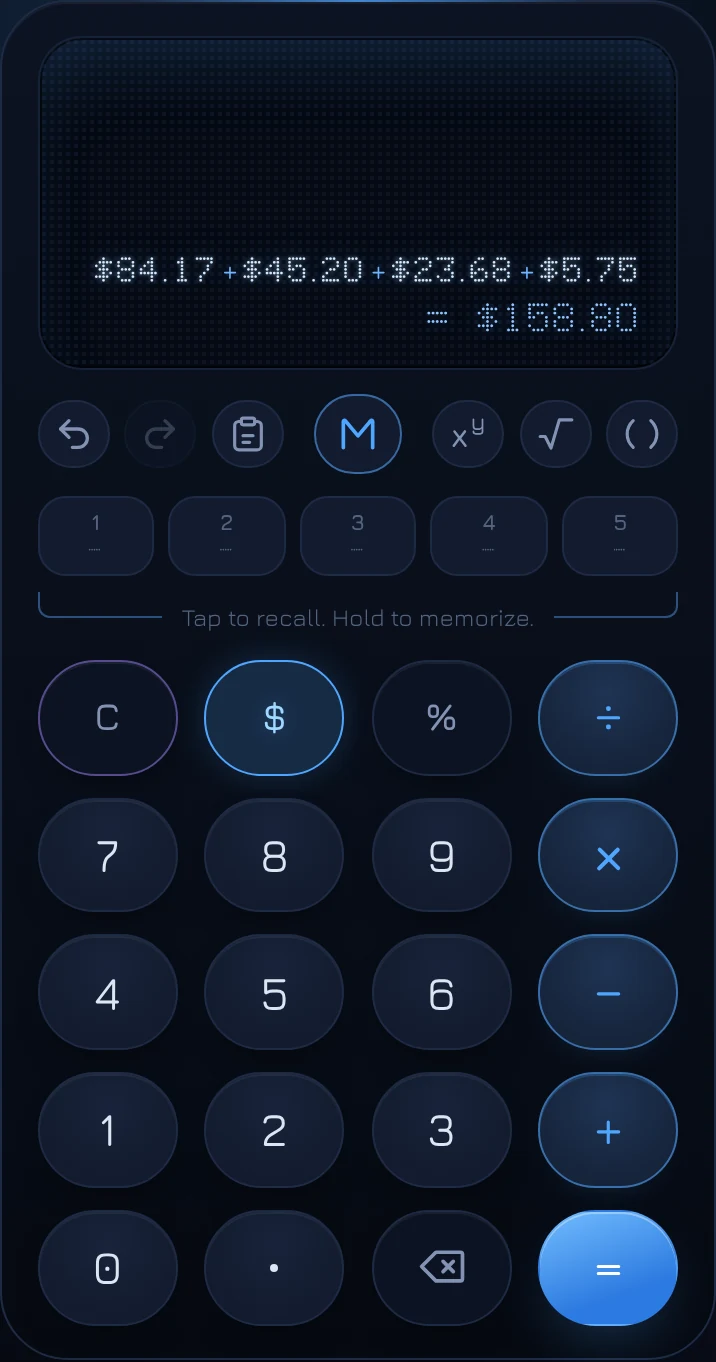
Check, then press equals
The pasted list goes in as an ordinary calculation, not a finished answer, so you can look it over first. If a number is wrong or shouldn't be there, fix it like any calculation: backspace, undo, or clear the last entry with C. Long sums scroll sideways on the display; swipe or scroll to see the start.
Press = and the total is logged like any other result, with the whole sum written out in the Log so you can see later exactly what was added.
Pasting into the middle of a calculation
If you've typed an operator first, the list goes in as a single number: its total. Type 2 × and paste a list of three costs, and you get 2 × their total, not 2 times the first cost plus the other two. That makes it easy to double a list, take a percentage of it, or divide it between people.
Pasting a single number or a calculation
Paste works for more than lists:
- One amount, like $1,234.50 or (42.10), goes in as if you'd typed it.
- A labeled line, like Total due: $225.00, pastes just the amount.
- A calculation, like 12 + 3 × 4 or 2(3 + 4), goes in ready to finish. Written-out symbols such as × and ÷ work, as do shorthand amounts like 2.5k or 1.2m.
- Scientific notation, like 3.5e4 or 6.02 × 10²³, is understood too.
Copying the result back out
When you're done, click or tap the display (or press Ctrl C) to copy the total, formatted with its thousands separators and currency symbol, ready to paste into a reply or a spreadsheet.
Questions
Is there a limit to how many lines I can paste?
A list can be as long as you need. A number with more than 15 digits is rounded to 15 significant digits, the most a standard computer number holds exactly.
The Paste button says the clipboard is blocked.
Some browsers only let pages read the clipboard after you allow it, and some never do. Press Ctrl V (or ⌘ V) instead; that always works.
Is anything I paste sent anywhere?
No. Pasted text is read in your browser to pick out the numbers. Your Log and presets are only stored on your device.